Sign up
and add
your café
The café is picked from the directory of places on the map: name, address and hours are filled in automatically. All that is left is to check and complete them.
A café profile on the app map, digital stamps, offers and QR-based visit confirmation — in one tool. Which features you get depends on your plan.
A free plan for one confirmed location · 45 days of Pro with no card and no auto-renewal · Map placement is part of the paid plans
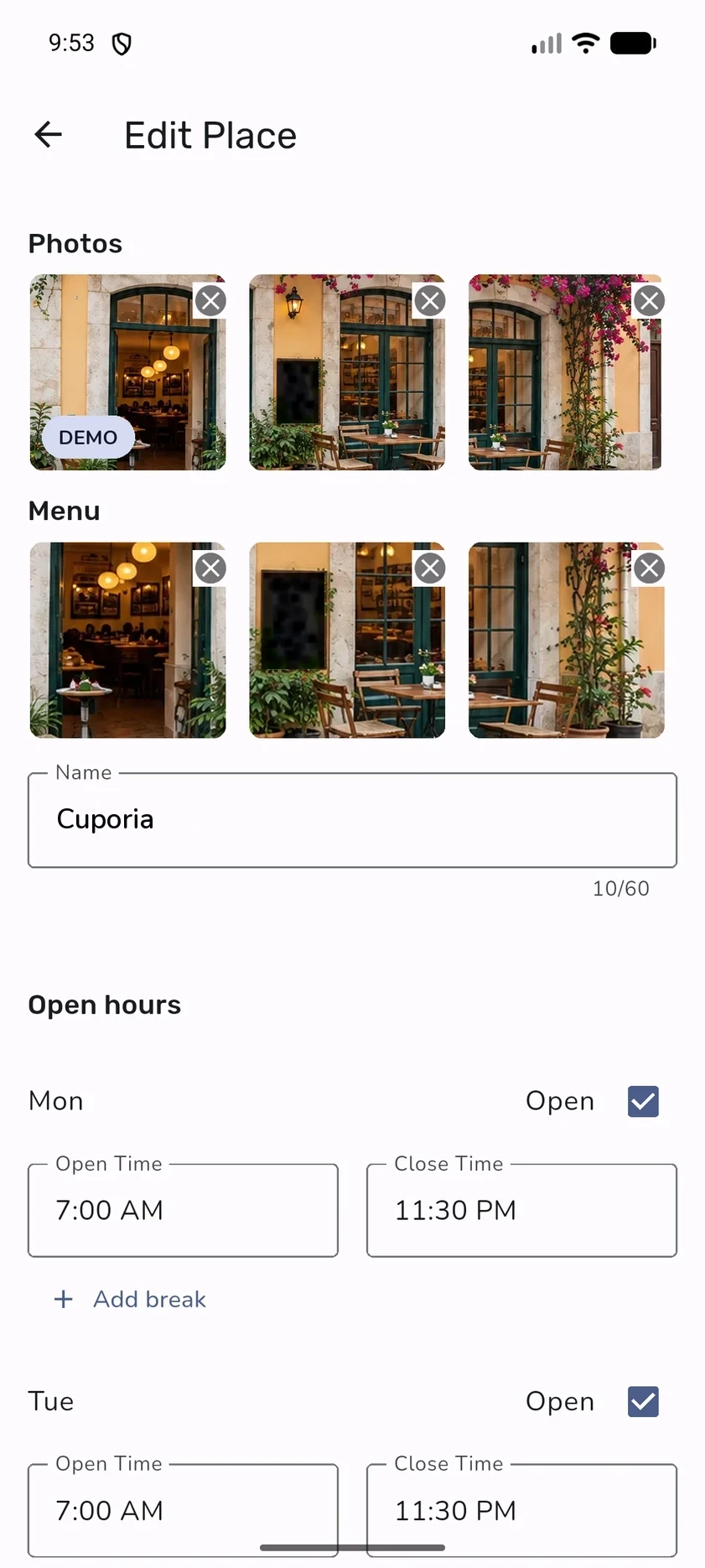
Photos, menu, name, opening hours with breaks and days off.
Preparing the profile, the programme and the team in detail is covered in the guide for cafés
The café is picked from the directory of places on the map: name, address and hours are filled in automatically. All that is left is to check and complete them.
OwnCup reviews the café before it is published. How long it takes depends on the queue; we will tell you the outcome.
Photos, menu, opening hours with breaks — and a reason to return that you set yourself.
Staff are invited by email. Permissions are granted separately: administration, offers, operation history.
The location’s QR code is in the back office. Put it where a guest can comfortably scan it: the guest scans the code, a staff member confirms participation in the offer.
The availability of individual features depends on the plan.
An eligible visit, a digital stamp, visible progress and a reward. No paper card and no separate café app.
A café can run several offers. Progress on one does not carry over to the others and is not pooled across cafés.
Aggregated programme activity metrics.
Staff confirm eligible visits through a simple workflow, without a required till integration.
A separate feature, not provided on any plan at the moment. When it launches, OwnCup will set it out separately, with its commercial terms, in the business account or in a written proposal — paying for a plan does not by itself grant access to it.
OwnCup adds a specialised café map, a profile, an easy way to join the loyalty programme and clear progress towards a reward inside the platform.
No. The basic OwnCup flow does not require POS integration; staff confirm eligible visits in OwnCup.
The programme can be prepared in minutes. A complete launch also depends on the profile, reward and team briefing.
Yes. You can compare the digital flow with your current process before deciding how to transition.
Yes. Map placement is part of the paid plans. On the free plan the loyalty programme works and the café is not shown on the map.
You sign up and set up your profile. The café is picked on the map, and its name, address and opening hours are filled in from there. The profile is then reviewed by OwnCup, after which you set up offers, photos and staff access.
We will help you add your café and set up your first offers.
Contact us